How your forms page works
Your practice uses ClientForms to send you forms to fill in. Everything they send you is on one page, your forms page, and one link opens it.
What is this link?
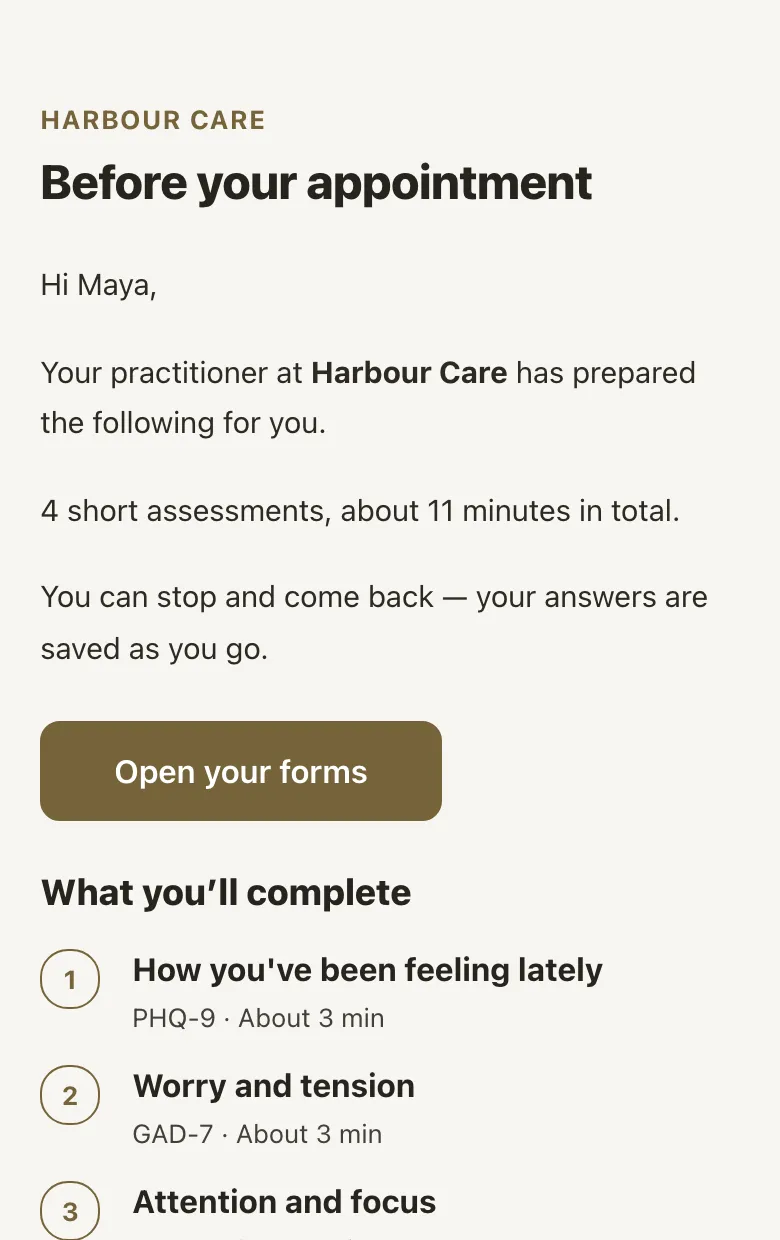
Your practice sends you one link to your forms page. It’s the same link every time, so you can come back to it whenever you need to.
To get here, tap Open your forms in an email from your practice. You don’t need an account or a password.
Can’t find the link? Look for the latest email from your practice, or ask them to send it again.
What will I see?
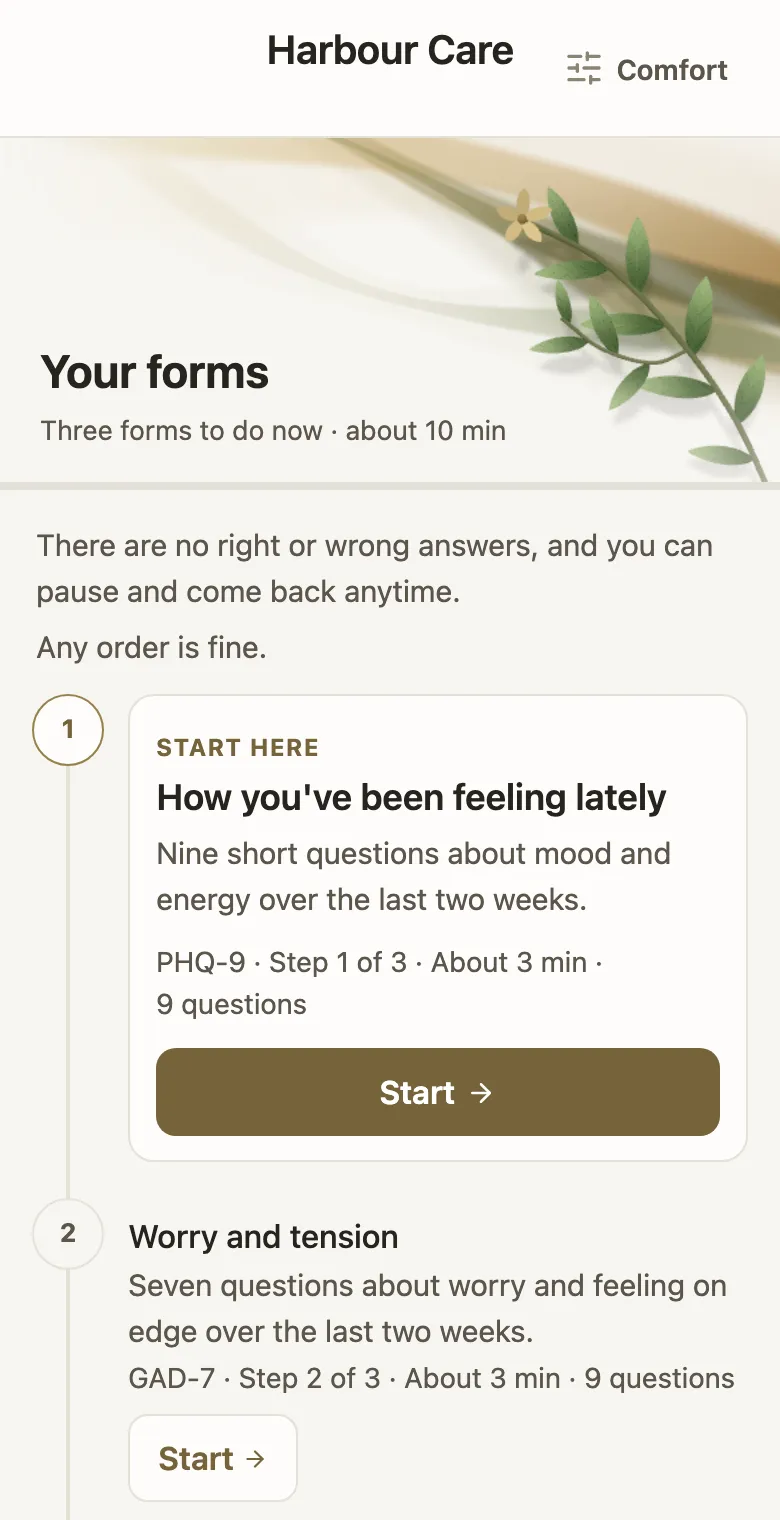
At the top, the page says how many forms there are to do now and about how long they take altogether.
Below that, your forms are listed in order. The first one has a Start here card.
How do I start?
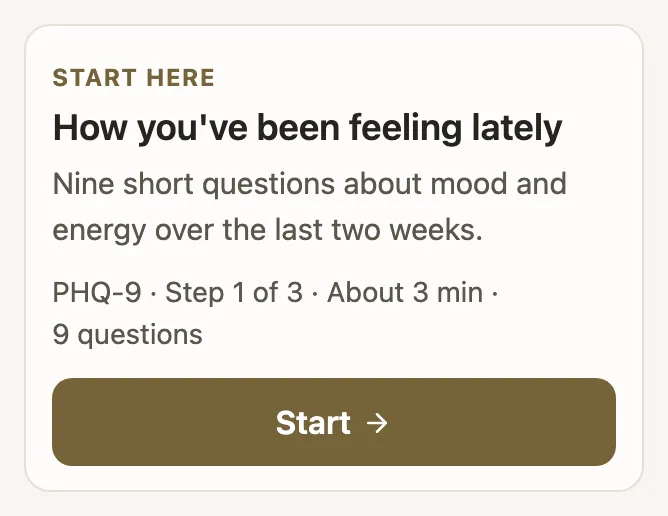
Tap Start on the Start here card. The card says what the form is about and about how long it takes.
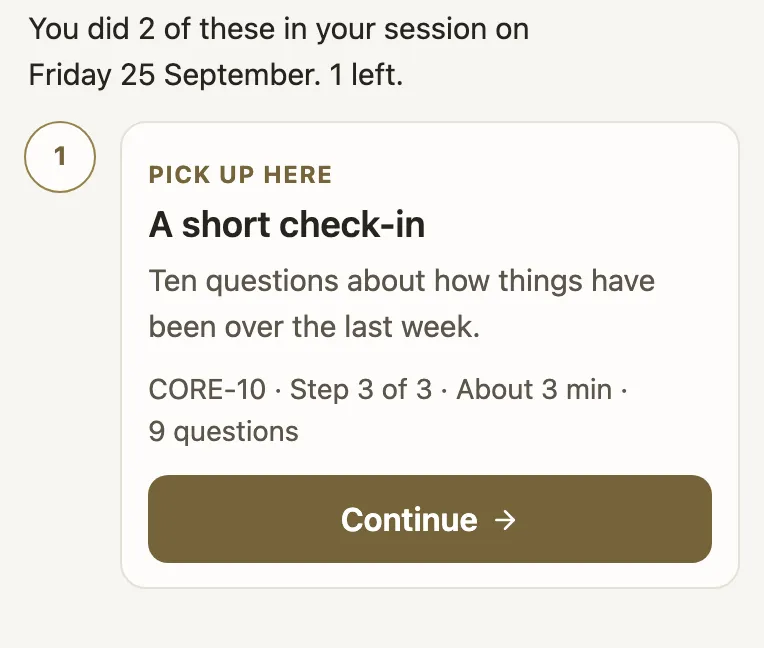
If you’ve already begun a form, the card says Pick up here and the button says Continue.
If the page says Any order is fine, you can do the forms in whatever order suits you.
Can I stop and come back?
Yes. Your answers are saved as you go. Open the same link later and you’ll pick up where you left off.
When you finish a form, you’ll see the next one with a Continue button. If you’d rather stop there, choose Take a break and come back to the rest another time.
I started at the practice. How do I finish at home?
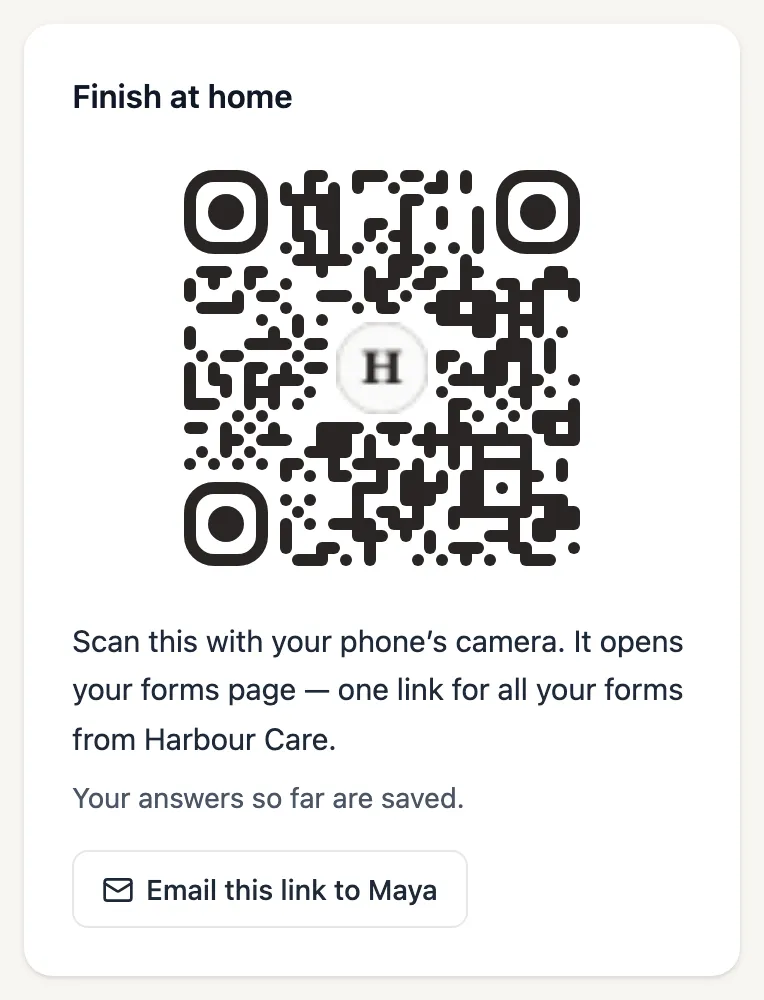
If you did some of your forms during a session, your practice can show you a code to scan with your phone’s camera, or email you the link. Both open your forms page.
The page shows what you’ve done already, for example: “You did 2 of these in your session on Friday 25 September. 1 left.”
What’s under Coming up?
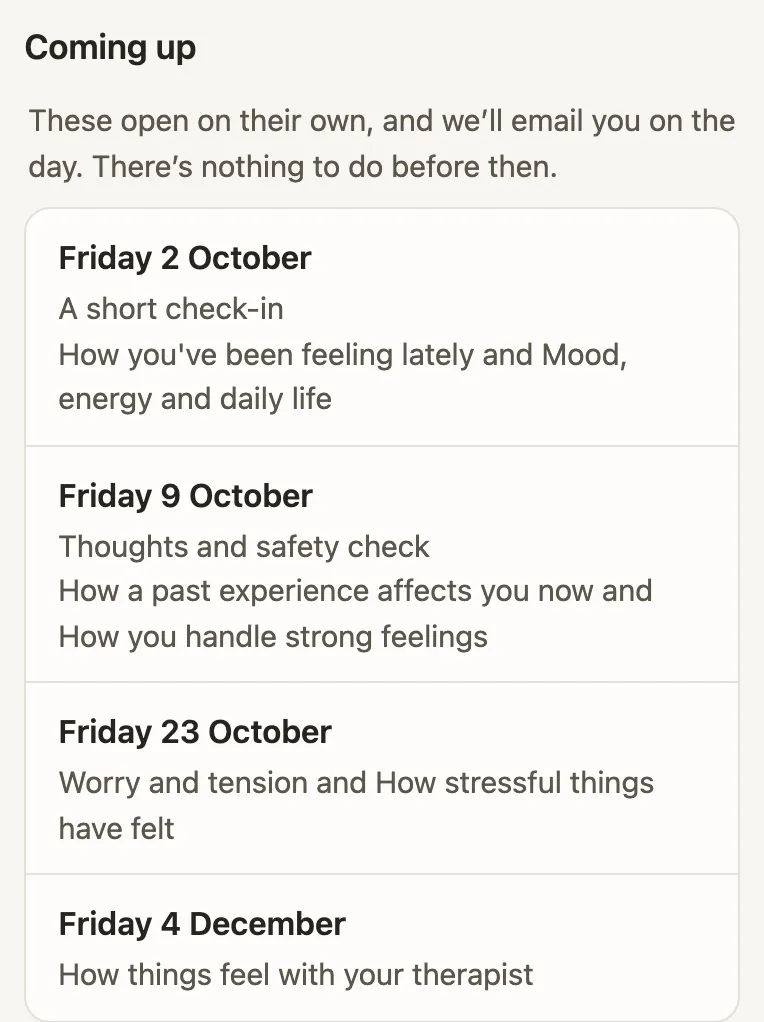
If your practice has set up check-ins for later, Coming up lists the days they open, in date order.
Check-ins open on their own. If your practice has your email address, you’ll also get an email on the day. There’s nothing to do before then.
When nothing is due, the top of the page says so, with the day the next one opens.
How do I know my practice has my answers?
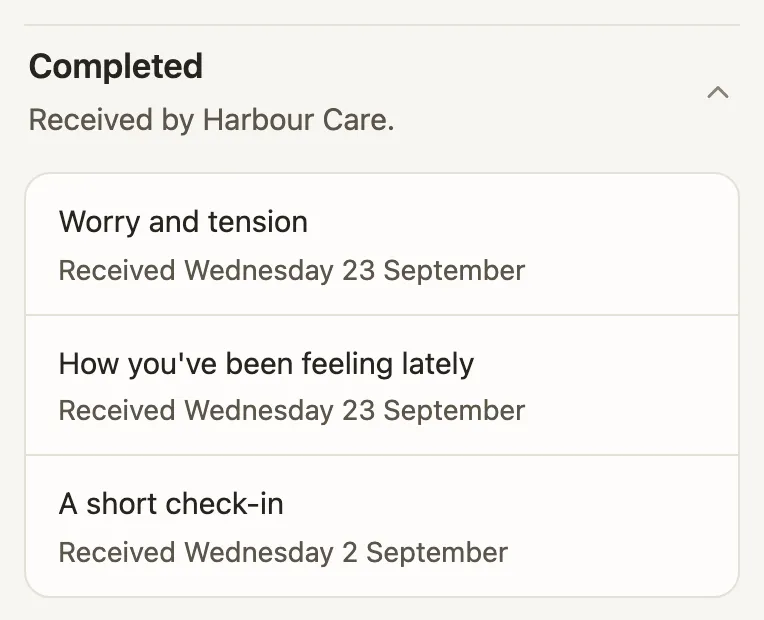
Finished forms move to Completed, with the day each one was received. Tap Completed to see the list.
Completed shows the names of your forms and the days only. It never shows your answers or any scores.
Can I make the page easier to read?
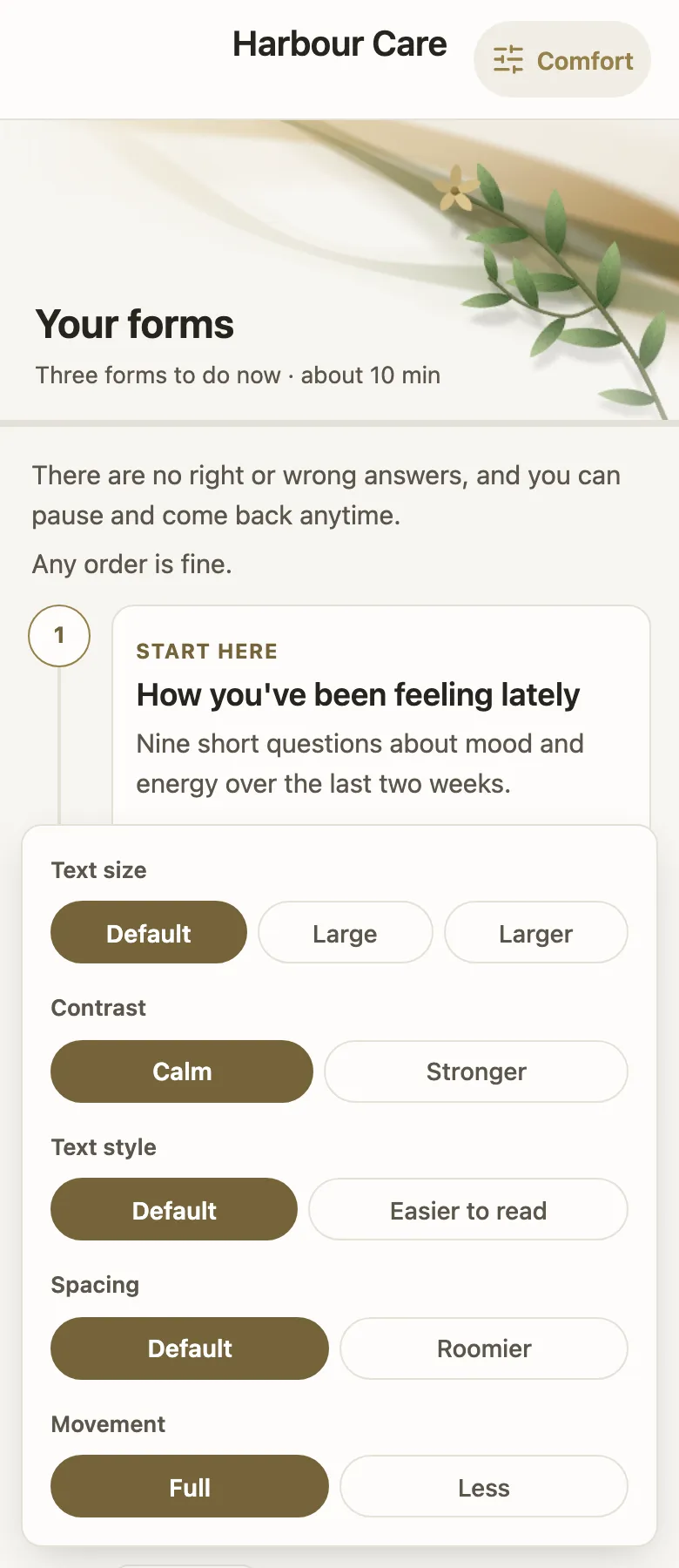
Yes. Tap Comfort at the top of the page. You can choose larger text, stronger contrast, an easier-to-read text style, roomier spacing and less movement.
Your choices are remembered in this browser and apply to your forms too. You can try Comfort on this page now.
Is my page private?
Your link is just for you. Anyone who has it can open your forms page, so please don’t forward it or post it anywhere.
Your answers go only to your practice.
If you think someone else has your link, contact your practice. They can turn it off and send you a new one.
What if the page says the link is resting or no longer active?
This link is resting means there’s nothing to fill in right now. When your practice sends you something new, the same link opens again.
This link is no longer active means it has been turned off. If you need your forms, contact your practice.
Either way, anything you already finished has been received.
Anything else about your forms? Your practice can help.