Practice Setup
Turn on your registration form
Switch on the form new clients fill in about themselves, and choose what it asks.
5 steps · 3 min read

Open Client
Open "Set
Press "Turn
Registration switches
Share the
Open Client Forms
In the left sidebar, click Client Forms. Section 1 is your registration form: what new clients are asked about themselves. A registration form is already there, built from the standard field set for your profession.
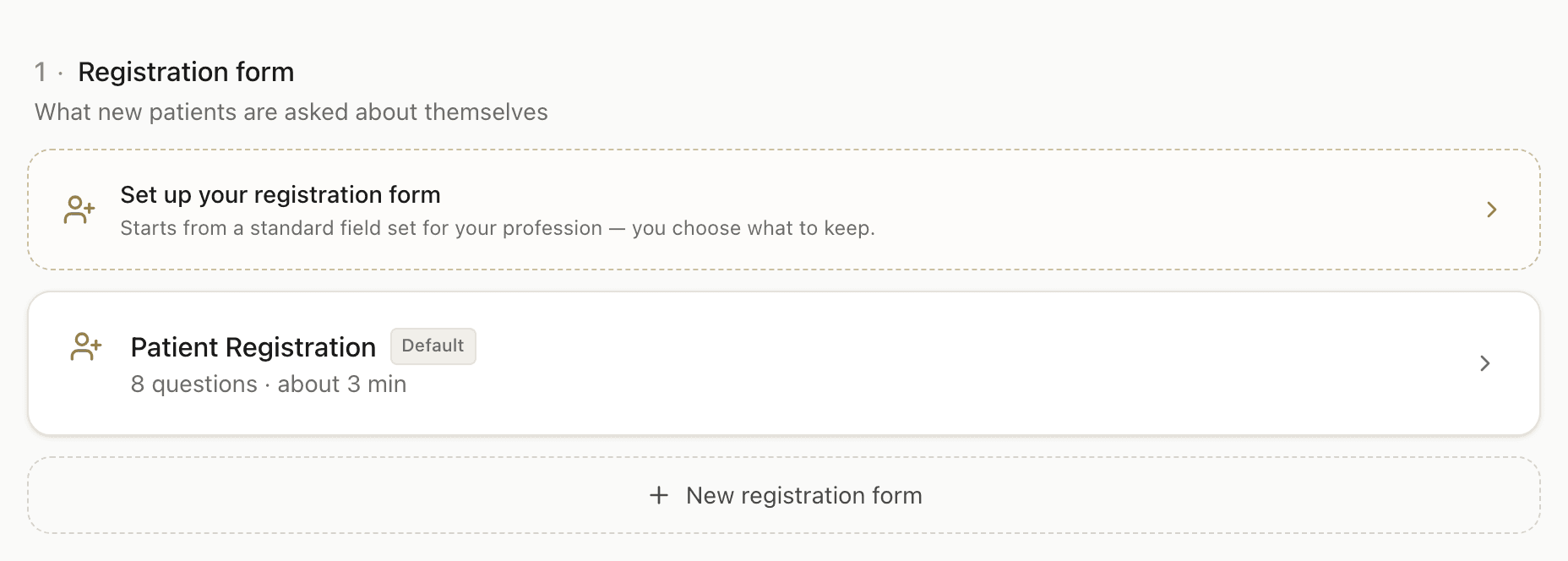
Open "Set up your registration form"
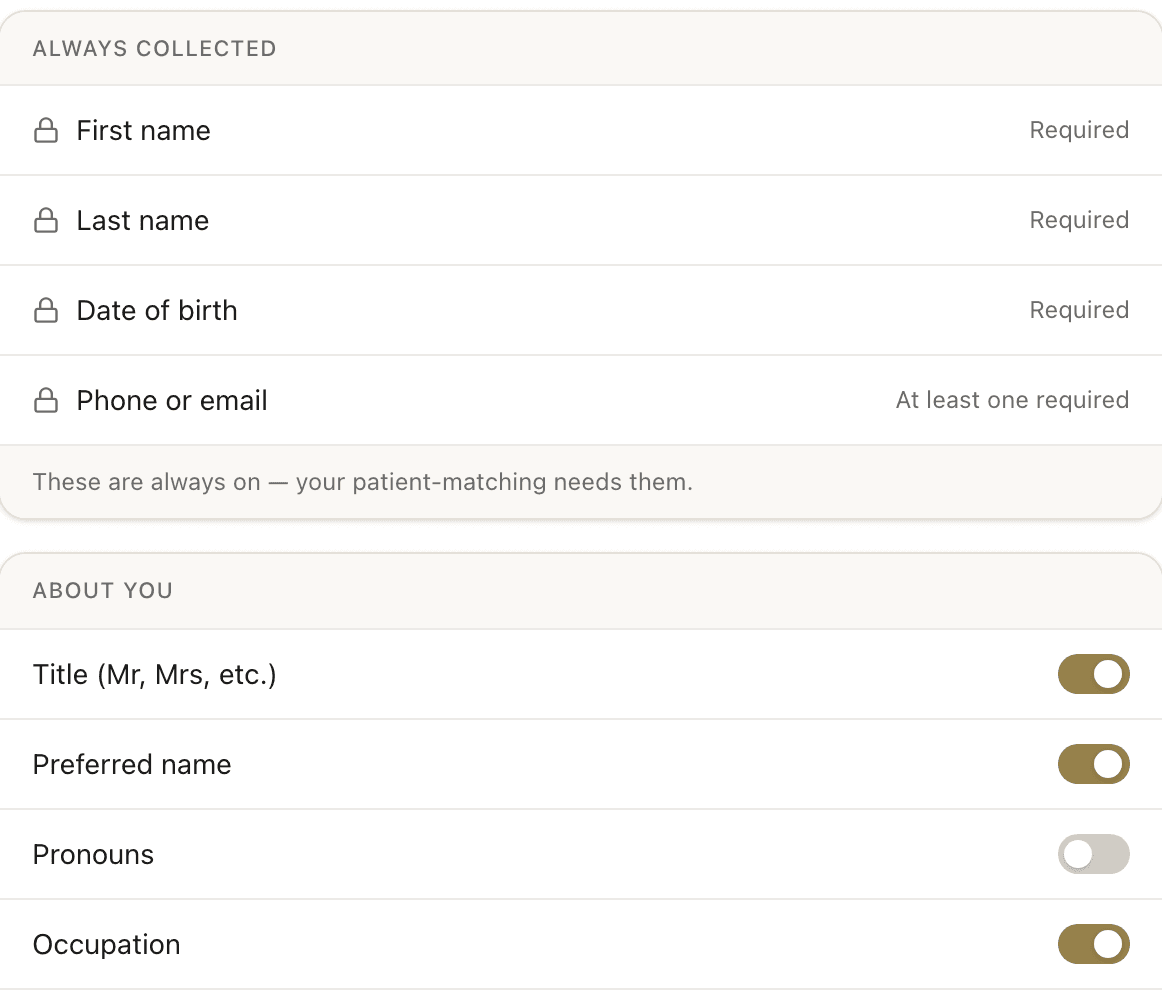
This opens the form itself. Name, date of birth and a phone or email are always collected, because client matching needs them. Everything below that is yours to switch on or off, and a live preview on the right shows what your client sees as you go.
Press "Turn on registration"
The button sits at the bottom right of the panel. You do not have to change a single field first: if the standard set already suits you, press it as it is. Until you do, the footer reads "Not turned on yet" and no client is asked to register.

Registration switches on
The footer changes to "All changes saved" and the button goes back to a plain Save. That is the whole confirmation. Back on Client Forms, the dashed box in section 1 is gone.

Share the link, or let a send carry it
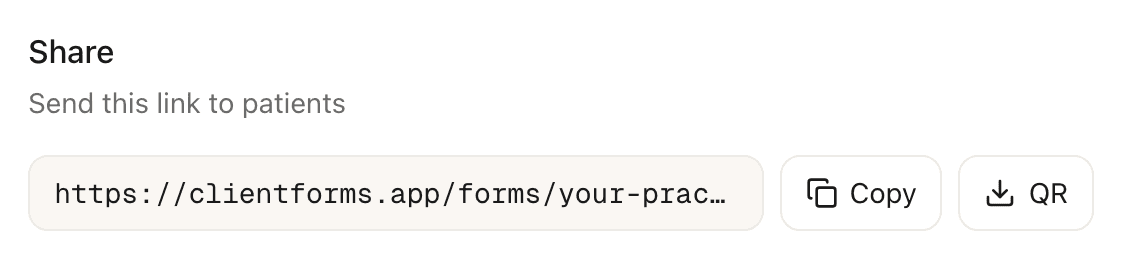
Scroll down inside the same panel to Share. That link is your registration page, and it never changes. You can also leave it alone: registration and consent can be added to a new client's first send automatically, which most practices use instead of sharing a link at all.
Frequently asked questions
Do I have to edit the form before I can turn it on?▾
Can I change the registration form after clients have already filled it in?▾
What does the registration form collect?▾
Where is my registration link?▾
Related guides
Review your consent forms
Your practice starts with consent and admin forms already drafted. Read each one, change what you want, and make it live.
Change what your registration form asks
Switch fields on or off and add your own questions. Answers already submitted are not affected.
Set your practice email and details
Your practice address, ABN, phone and fees, entered once and reused on every form and report.
Ready to try a different approach?
Calm forms for the people filling them in. Scored results and reports for you.
Full Professional access for 30 days, no card. Then a free plan with 3 forms and 10 responses.
Quiet design. Real impact.