Sending Assessments
Share your onboarding link
Your permanent practice link — patients register, sign consent, and complete forms without you creating their record first.
7 steps · 3 min read
Copy your
Share the
Patient opens
Patient signs
Patient completes
Patient completes
Patient appears
Copy your registration link
Go to Client Forms and open your registration form in section 1. Scroll down inside that panel to Share. The link there is your permanent registration page and it does not change. Registration has to be switched on first.
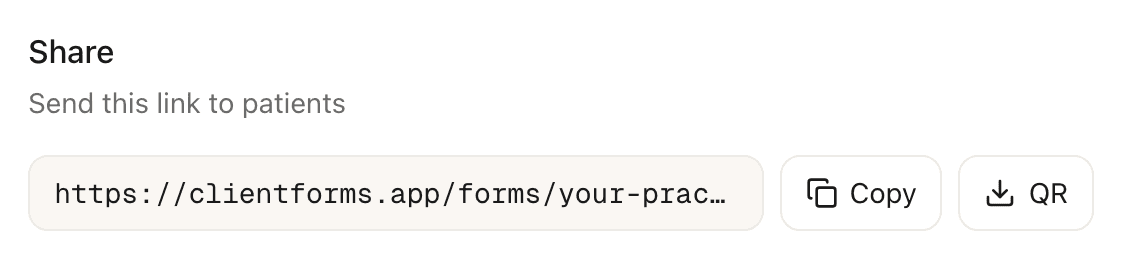
Share the link
Put it anywhere patients can find it: your website, email signature, appointment confirmation emails, or a QR poster in your waiting room. If you build a pathway, that gets its own link which carries consent and assessments as well.
Patient opens the link
When a patient clicks the link, they land on your branded intake page and enter their details.
Patient signs consent
If your pathway includes a consent template, the patient reads and signs it next.
Patient completes admin forms
Any admin forms in the pathway (billing, release of info) are presented next. Patients can skip optional forms.
Patient completes assessments
If your pathway includes assessments, the patient completes them last.
Patient appears on your dashboard
A new patient record is created automatically with all their submissions grouped together. Assessments are scored. Everything is ready before their first appointment.
Frequently asked questions
How is this different from a regular assessment link?▾
Can I have different onboarding links for different patient types?▾
Related guides
Set up a patient intake pathway
Combine intake, consent, admin forms, and assessments into a single link patients complete before their first appointment.
Send assessments with intake and consent
New patients go through your full intake pathway — registration, consent, admin forms, then assessments.
Send an assessment to a patient
Create a patient, choose an assessment, and share the link — scored results appear on your dashboard.
Ready to try a different approach?
Calm forms for the people filling them in. Scored results and reports for you.
Full Professional access for 30 days, no card. Then a free plan with 3 forms and 10 responses.
Quiet design. Real impact.