Sending Assessments
Send an assessment to a patient
Create a patient, choose an assessment, and share the link — scored results appear on your dashboard.
9 steps · 4 min read

Click Send
Select or
Check what
Choose your
Read the
Choose how
Closing this
Client completes
Results scored
Click Send assessment
Open the client from your Clients list. The gold Send assessment button sits at the top right of their record, beside Edit. There is a second one further down under Sent assessments — both open the same drawer.

Select or create a client
Search for an existing client or create a new one. Enter their name, email, and date of birth.
Check what is already on the link
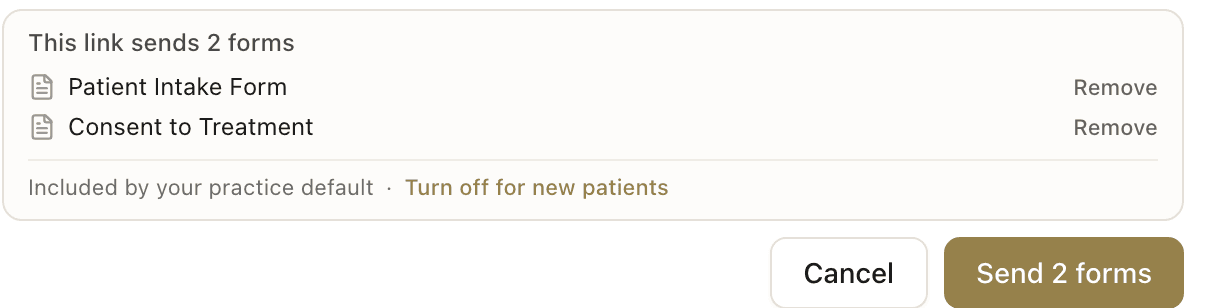
The panel at the bottom of the drawer is the send itself: it names every form the client will receive, and the button repeats the count. At a client's first contact your practice may have added registration and consent already — the line underneath reads "Included by your practice default". Remove takes either one off this send. "Turn off for new patients" stops them being added to future ones.
Choose your assessments
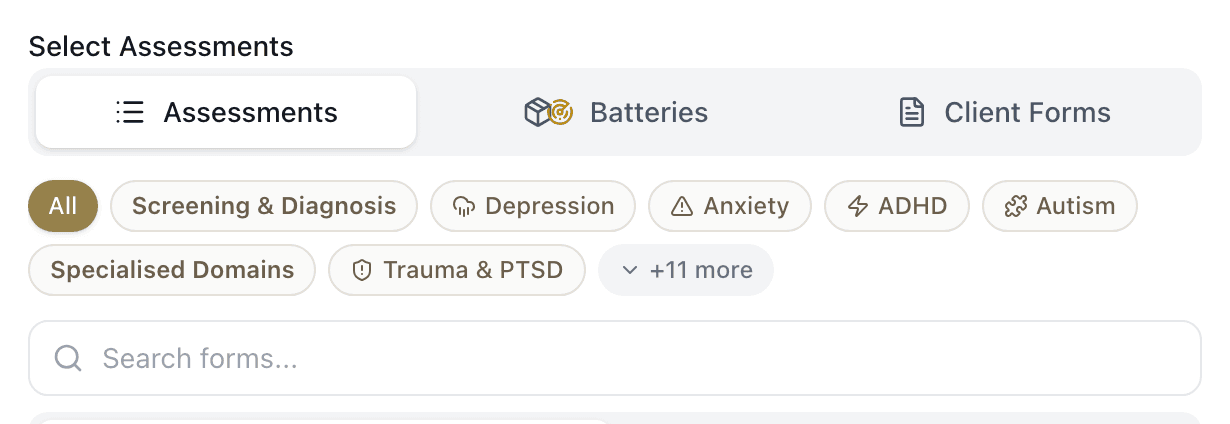
Three tabs sit under Select Assessments. Assessments is individual forms — filter by category, or type a name into Search forms. Batteries holds saved groups and Profiles. Client Forms holds registration, consent and admin documents. The tabs are three views of one selection, so switching between them keeps everything you have already ticked.
Read the footer before you send
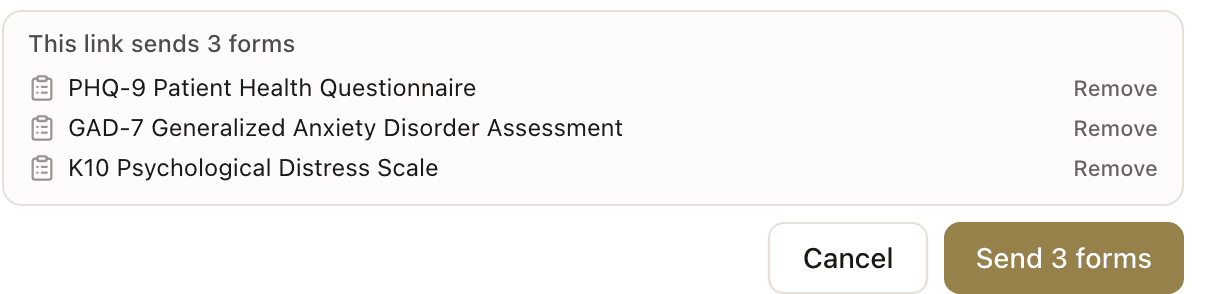
Every form you tick is named in the panel at the bottom, and the button counts them. That list is what the client actually receives: if an assessment you chose is not named there, it is not on the link. Check the count says what you meant before you press it.
Choose how the link reaches them
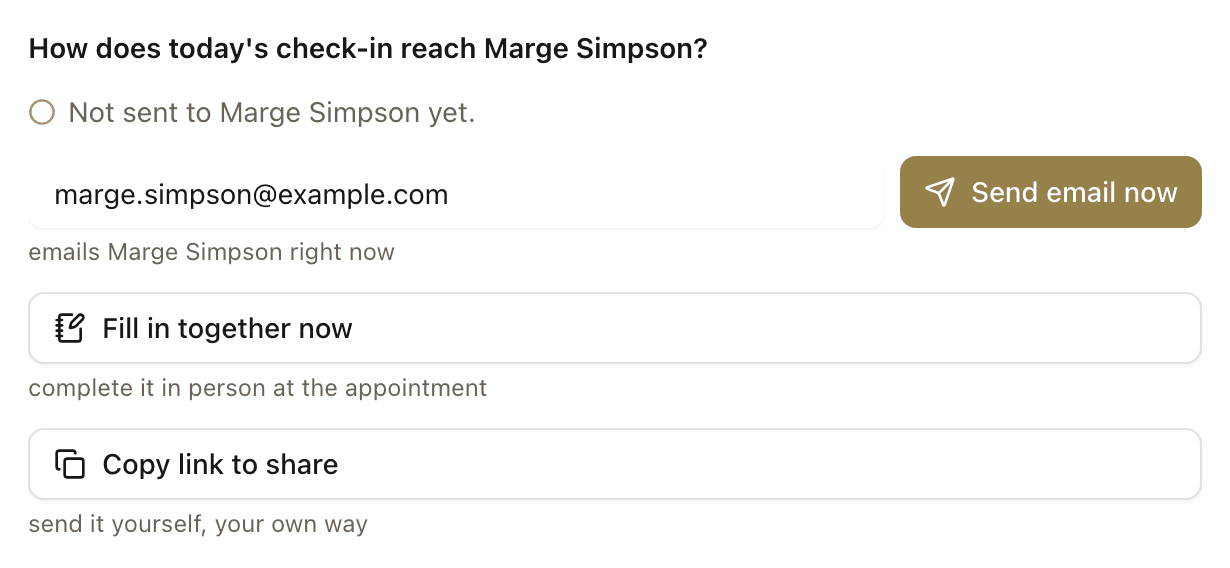
Pressing Send creates the link. It does not deliver it. The next screen asks how today's check-in should reach your client and you choose one: Send email now emails them straight away, Fill in together now opens the assessment so you can complete it in the room or over the phone, and Copy link to share puts it on your clipboard to send your own way.
Closing this screen sends nothing
Close is the honest way out, not a send. The link stays saved on the client's record and you can share it whenever you like, but nobody is told about it. If a client says nothing arrived, check this first: open their record and look under Sent assessments for a link that was created and never delivered.

Client completes the form
The client opens the link on any device — phone, tablet, or computer. No app, no login, no account. They complete the form at their own pace.
Question 6 of 10 · ~2 min left
During the last 30 days, how often did you feel hopeless?
Results scored automatically
When the client submits, the system scores the assessment instantly. Subscale scores, severity bands, and visual charts appear on your dashboard.
Frequently asked questions
I pressed Send and my client received nothing. What happened?▾
Why does the button say "Send 2 forms" when I have not chosen anything?▾
Does the client need to download an app?▾
Related guides
Send multiple assessments in one link
Send a battery of forms — patients see a checklist and complete each one at their own pace.
Share your onboarding link
Your permanent practice link — patients register, sign consent, and complete forms without you creating their record first.
View scored results
When a patient completes an assessment, scored results with severity bands and visual charts appear on your dashboard.
How to run an AADPA-compliant ADHD assessment
Activate screening, assessment, childhood history, and functional impact forms — then review scored results.
Ready to try a different approach?
Calm forms for the people filling them in. Scored results and reports for you.
Full Professional access for 30 days, no card. Then a free plan with 3 forms and 10 responses.
Quiet design. Real impact.