Sending Assessments
Send multiple assessments in one link
Send a battery of forms — patients see a checklist and complete each one at their own pace.
8 steps · 4 min read
Click Send
Select a
Switch to
Pick a
Check the
Choose how
Client works
Each form
Click Send assessment
Open the send drawer from the client's record.
Select a client
Choose an existing client or create a new one.
Switch to Batteries
The Batteries tab holds your own saved groups under YOUR CUSTOM BATTERIES, then Profiles — composite assessments that score together and produce a radar chart — then the pre-built batteries. Each card names how many forms it carries and roughly how long it takes.
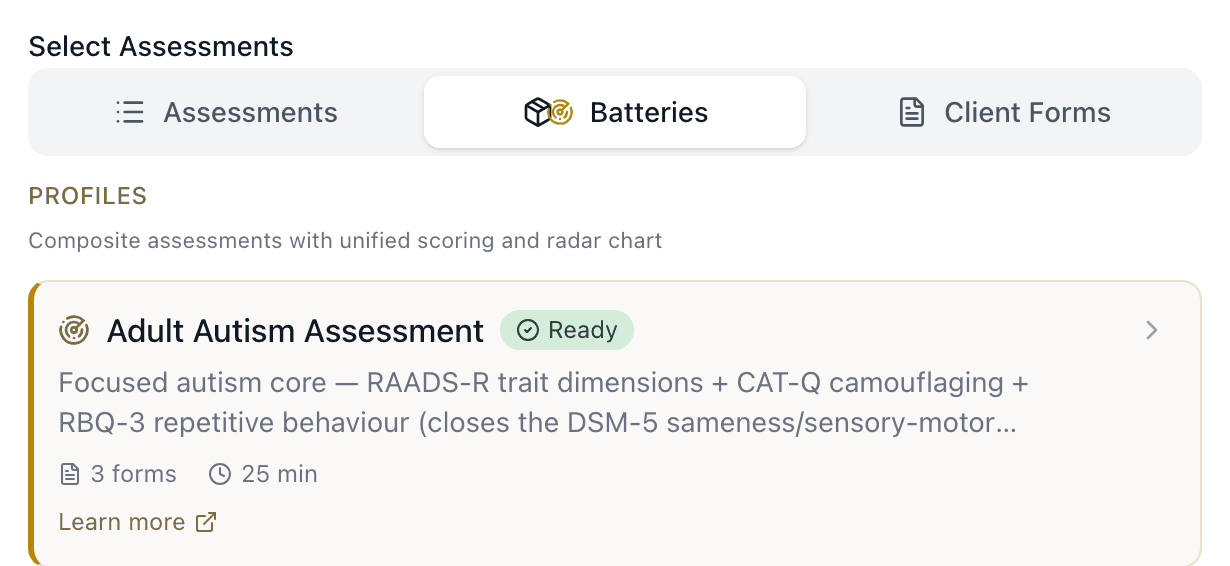
Pick a battery, or build your own
One click loads every form in the battery. Note that choosing a battery replaces whatever you had already ticked — the drawer tells you what it discarded. To build a combination instead, stay on the Assessments tab and tick the forms you want; you can save that set as a reusable battery afterwards.
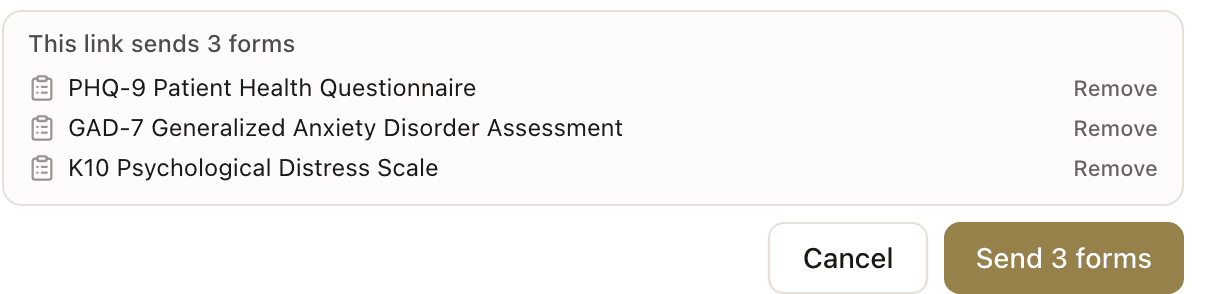
Check the footer, then send
The panel at the bottom names every form on the link and the button counts them. If your practice adds registration and consent at first contact, those appear here too and the count includes them. Press the button once the list reads the way you meant.
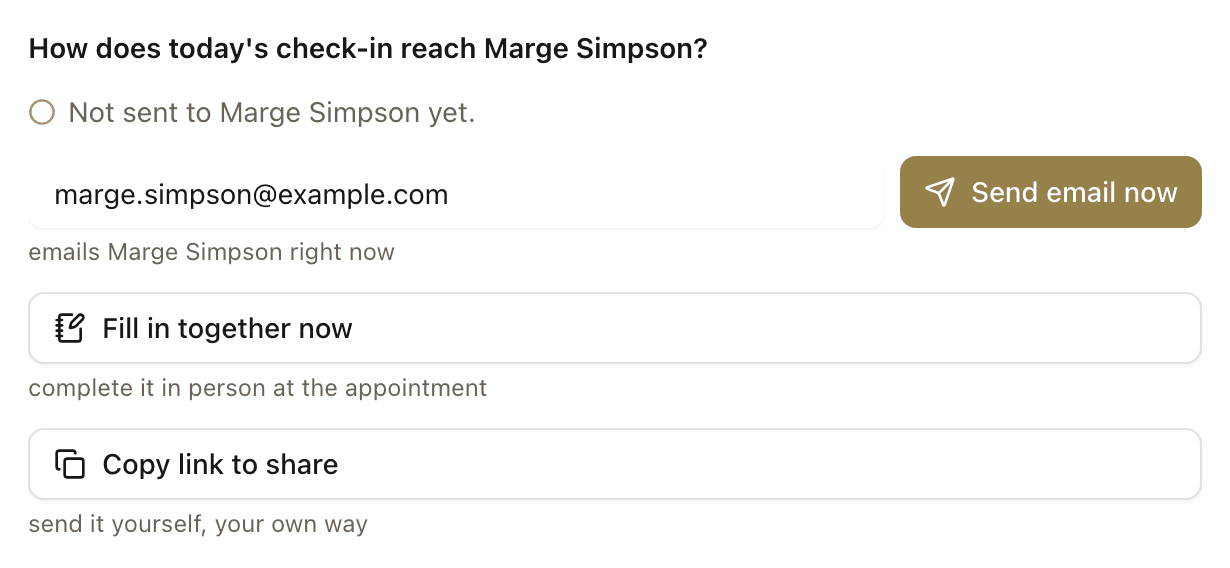
Choose how the link reaches them
Send creates the link; the screen after it delivers the link. Press Send email now, Fill in together now, or Copy link to share. Closing that screen keeps the link on the client's record but tells nobody about it.
Client works through the checklist
The client sees a checklist of forms. They can complete them in any order, take breaks, and come back later — progress is saved automatically.
Each form scored as completed
As the client submits each form, it's scored individually. You can see partial results before they finish the whole battery.
Frequently asked questions
What pre-built batteries are available?▾
Can I create my own custom battery?▾
Related guides
Send an assessment to a patient
Create a patient, choose an assessment, and share the link — scored results appear on your dashboard.
Send assessments with intake and consent
New patients go through your full intake pathway — registration, consent, admin forms, then assessments.
View scored results
When a patient completes an assessment, scored results with severity bands and visual charts appear on your dashboard.
How to run an AADPA-compliant ADHD assessment
Activate screening, assessment, childhood history, and functional impact forms — then review scored results.
Ready to try a different approach?
Calm forms for the people filling them in. Scored results and reports for you.
Full Professional access for 30 days, no card. Then a free plan with 3 forms and 10 responses.
Quiet design. Real impact.